chalkbox.edycu.dev · type the misconception; get a verified interactive in ~2 min
02 · Hook
A chat can write code.
It can't test it.
Chalkbox executes what it generates, reads the failure, and fixes it — so nothing
untested ever reaches a child.
03 · Problem
9:00 PM · the night before
She can write a worksheet. She can't write software.
Ms. Alvarez knows exactly the misconception her class is stuck on — dividing by a
fraction. The one thing that would fix it is an interactive she can't author at
9 PM for tomorrow's 8 AM class. Edtech vendors ship a fixed catalog on a
multi-month roadmap, not her class's problem tonight.
the gap
Worksheet — static, not interactive
A video — someone else's example
Vendor catalog — months away, generic
Bespoke interactive — impossible… until now
04 · Solution
The solution
Type the misconception. Get a verified sim.
She types “show why dividing by a fraction makes the answer
bigger.” Codex writes the interactive, tests it, retries until it passes, and
hands back a phone-friendly link — in under two minutes. No code, no app store, no
waiting.
chalkbox.edycu.dev/create
05 · How it works
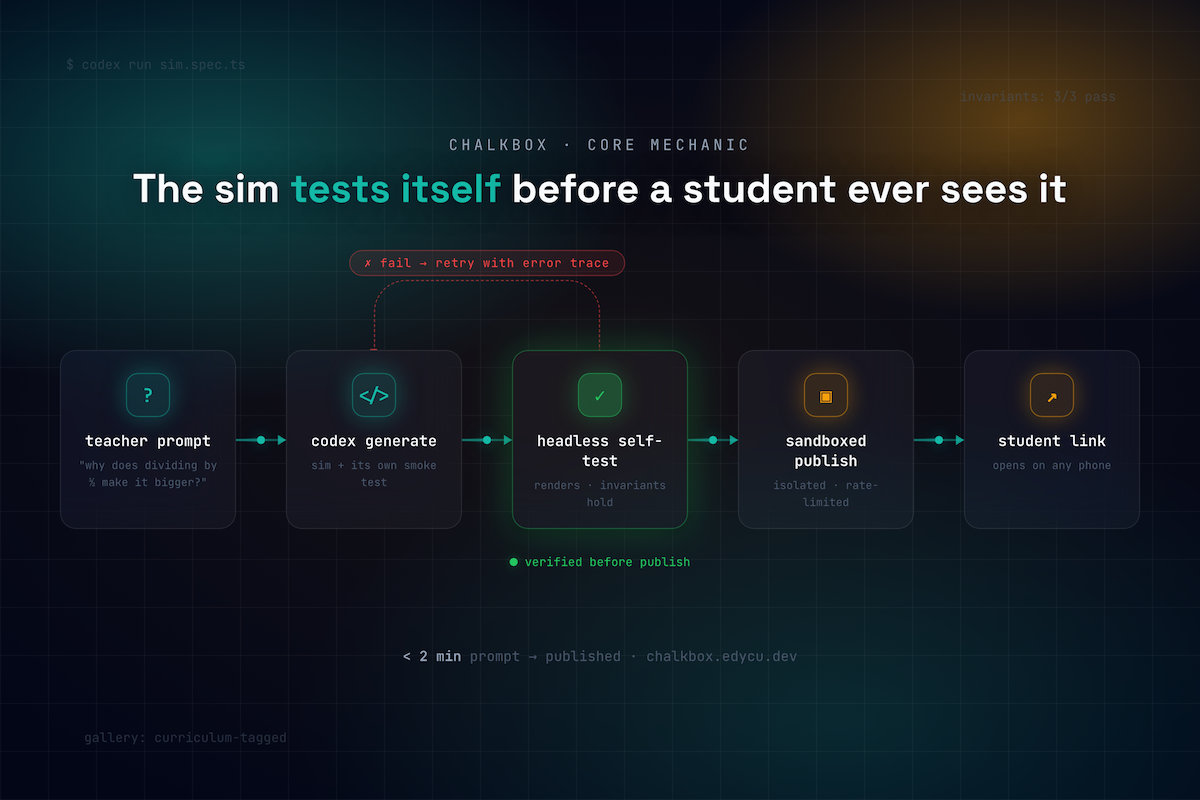
The verification loop — the moat
Four gates. Retry-with-trace on any failure.
G1
Safety + standard gate
Luna triages subject, grade band & curriculum code — or rejects it.
accept · math · 6-8
CCSS.6.NS.A.1
→
G2
Generate + static check
Sol writes a single-file React sim; AST validation enforces the allowlist.
import allowlist
no network APIs
→
G3
Render + invariants
Mounts headlessly, then asserts the pedagogy as a test. Fail → retry with trace.
divisor↓ ⇒ quotient↑ ✓→
G4
Safety + publish
Final safety pass, then ship under a strict no-network CSP.
CSP connect-src 'none'
null origin
↺ retry-with-trace within a bounded token budget — never an
infinite loop.
06 · Live demo
What the judges will see
Prompt → self-test → phone.
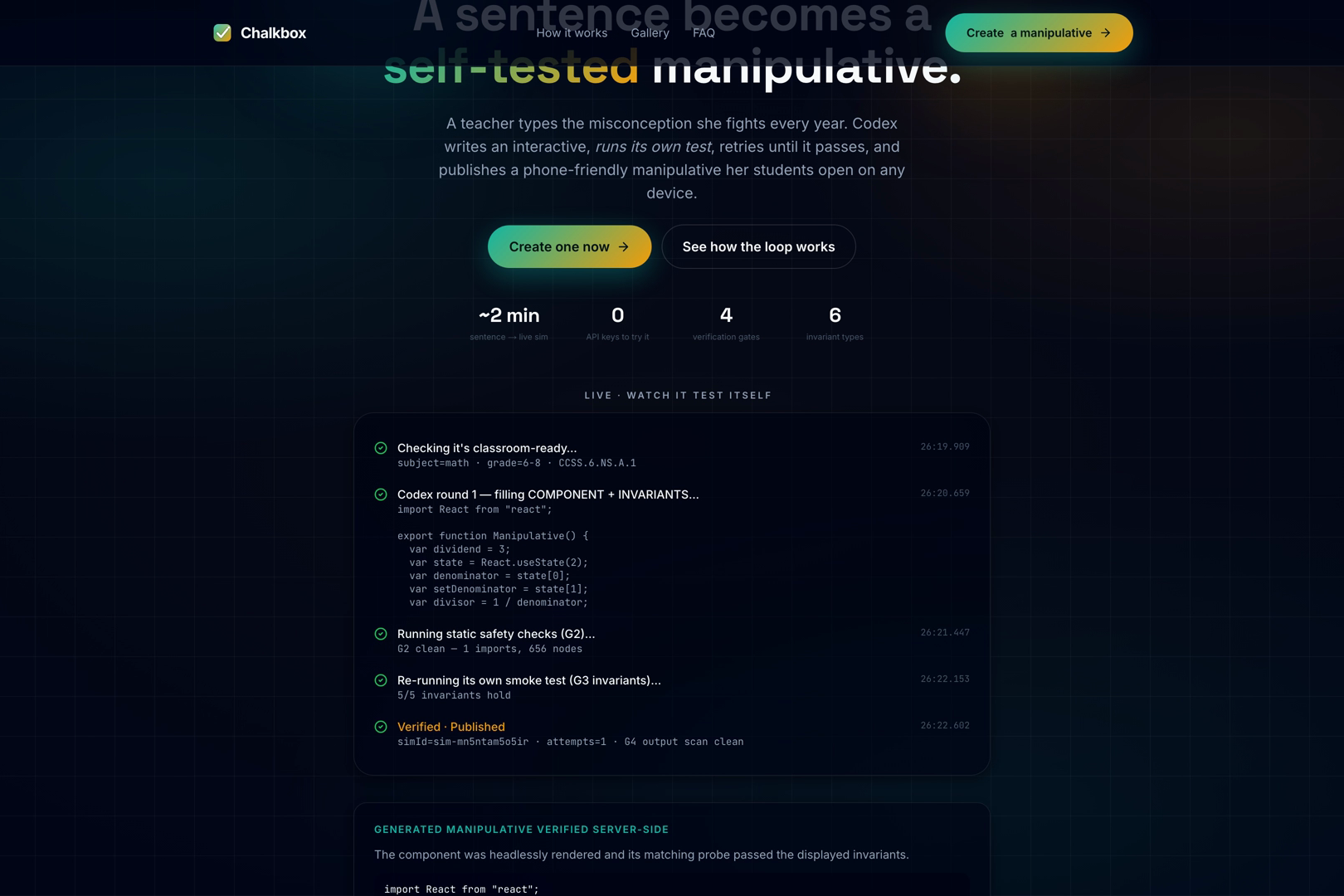
/create — the sentence
1
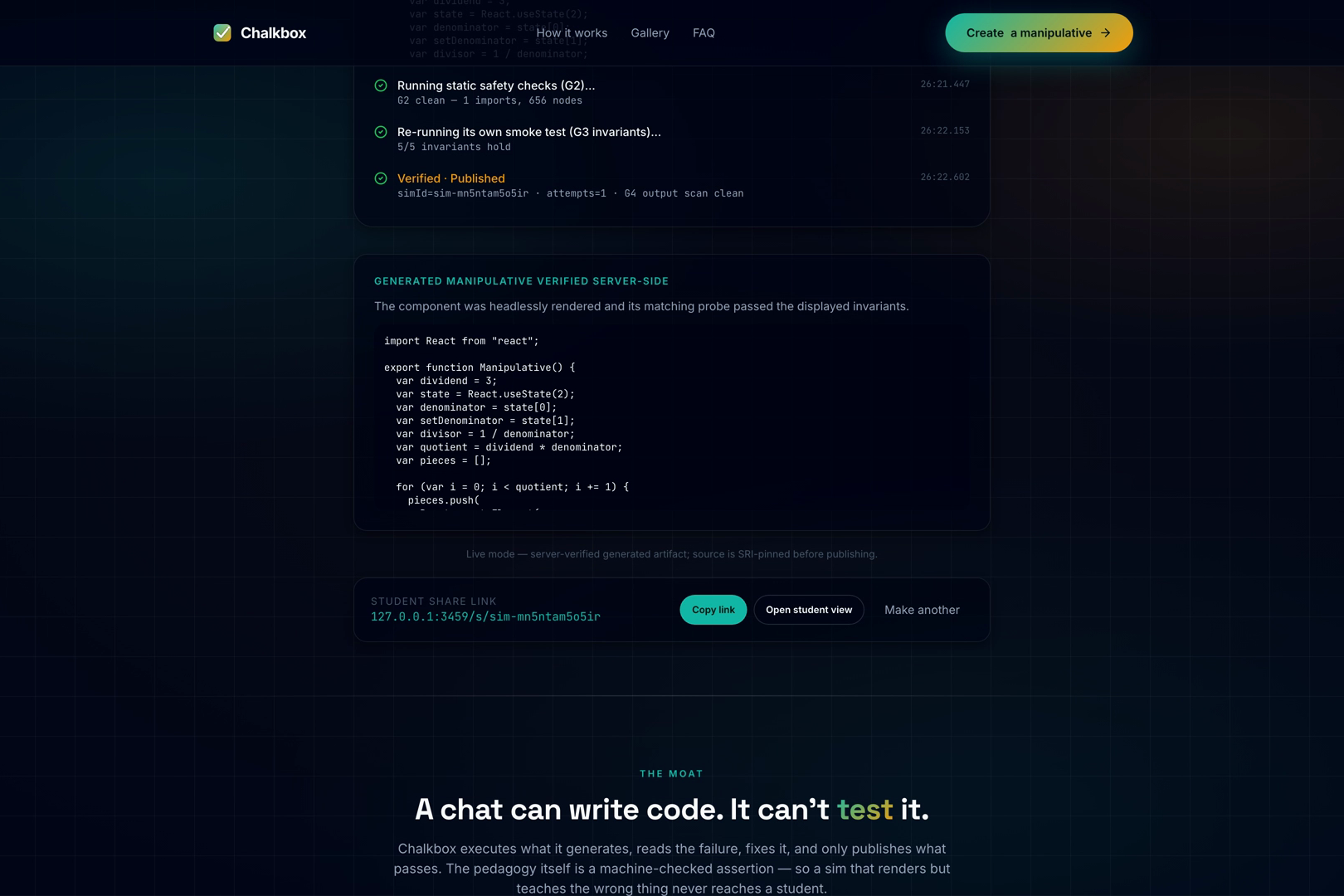
live build timeline
2
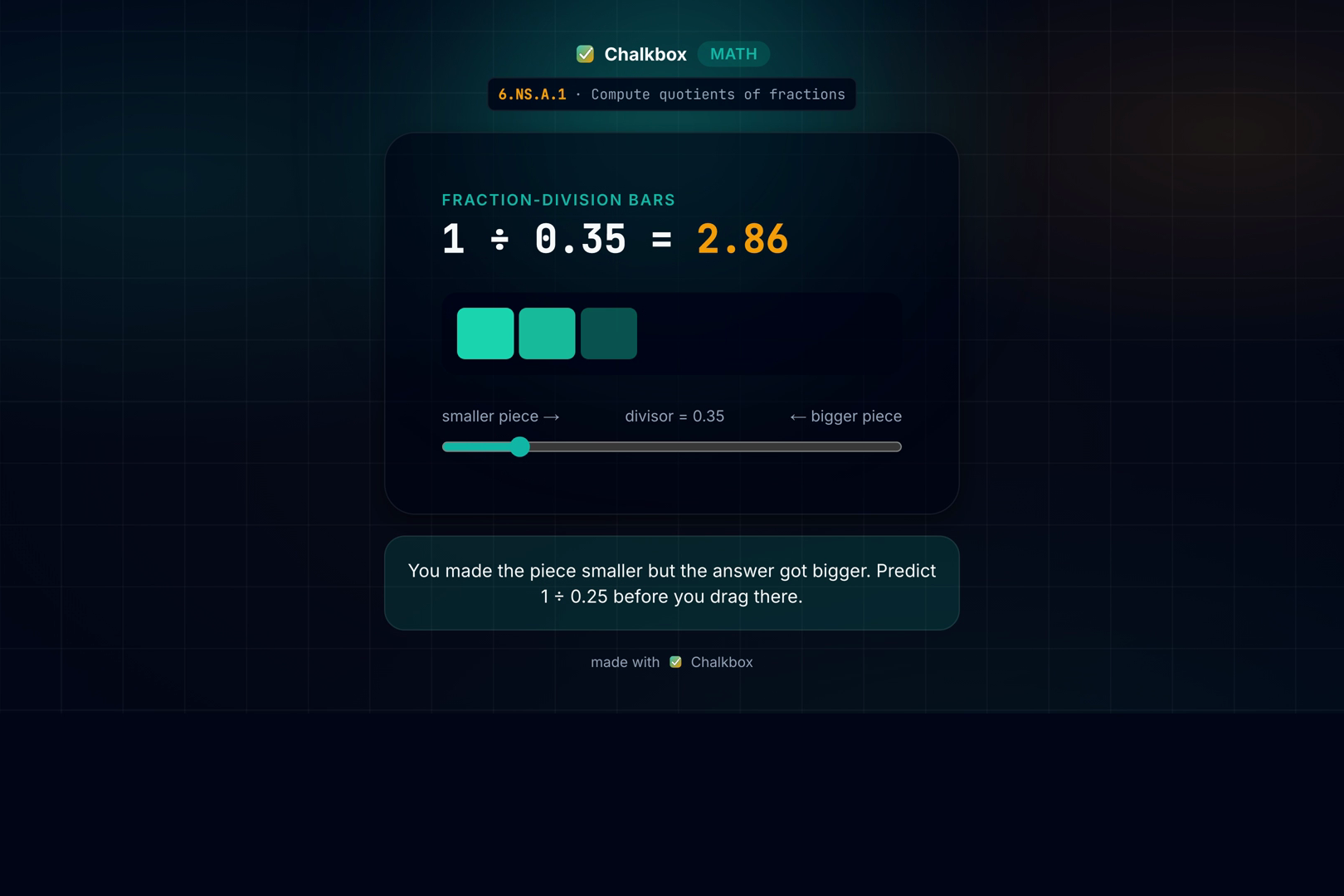
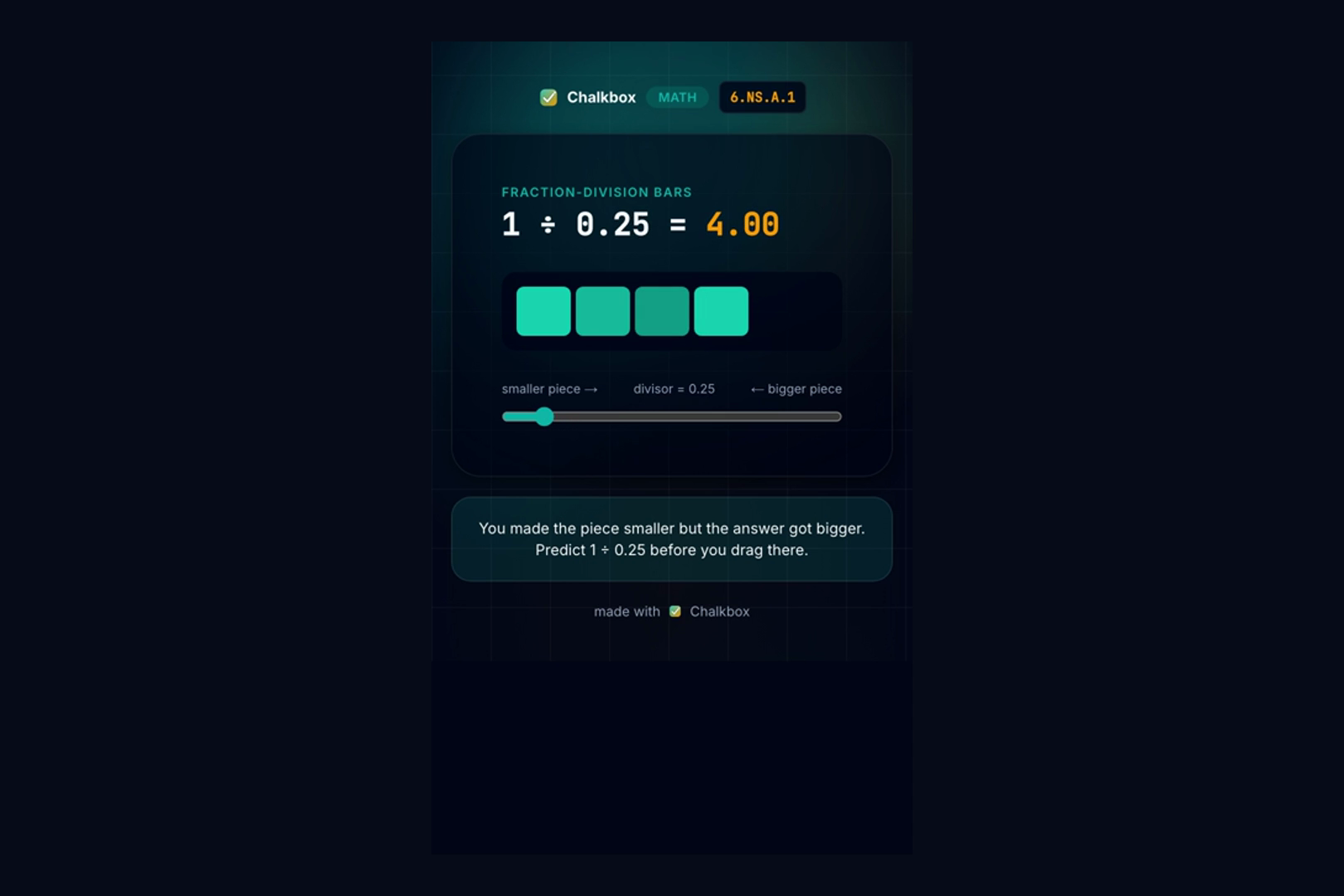
published manipulative
3
student share link · any phone
4
07 · Key features
Why teachers can trust it
Built to be safe in a classroom.
It tests itself
Every sim renders headlessly and asserts its own interactive invariants before it publishes.
Math & physics, tagged to real Common Core / NGSS codes; off-curriculum prompts are rejected.
A link, not an app
Students open a zero-chrome manipulative on any phone — no login, no install.
08 · Why now
Why now
Codex can finally run its own code.
A one-shot completion guesses. An agent that can execute, read a stack trace, and fix
it can guarantee. Chalkbox spends that new capability on the one thing a
classroom can't compromise on: correctness.
the moat
One-shot generator — plausible, unverified
Fixed sim catalog — generic, slow to change
Chalkbox — executes, tests, retries, then publishes
the pedagogy is encoded as a test — copying the UI doesn't copy the moat.
09 · Traction
Shipped for OpenAI Build Week
Real harness. Not a mockup.
50
unit + E2E tests, green
6-stage
CI: quality → deploy
15
curriculum-tagged sims
4
verification gates, live
The static validator and interactive-invariant runner are real and
unit-tested — the flagship fraction-division sim runs the genuine 3-attempt
self-debug loop today. Deployed at chalkbox.edycu.dev in demo mode, zero keys to try.
Honest status: the live engine that generates a brand-new verified sim from any prompt is
the next milestone — the harness that guards it already works.
10 · The ask
The ask
Give every teacher a verification loop.
Try it, break it, and judge the moat: type a misconception at
chalkbox.edycu.dev and watch it test itself. We're
building the safe path from a teacher's sentence to a verified interactive.
chalkbox.edycu.dev
github.com/edycutjong/chalkbox
edy.cu@live.com
scan → live demo, no login
01 / 10
← → navigate · Esc overview · P notes · C contrast
 1
1
 2
2
 3
3
 4
4